

Unit Overview
Wiki guide to using the Unit Overview
Unit Overview
What is the Unit Overview?
The Unit Overview is a box that displays the units in all your cities.
-> It is possible to select groups of cities.
You can enable/disable it in the settings.
Accessing the Unit Overview
You can access the Unit Overview simply by clicking on the small icon located above the “Go to coordinates” button. It’s the button with a small sword image.
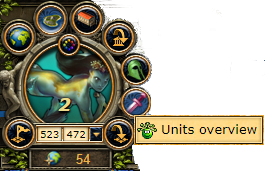
Using the Unit Overview box
Here is what the Unit Overview box looks like:
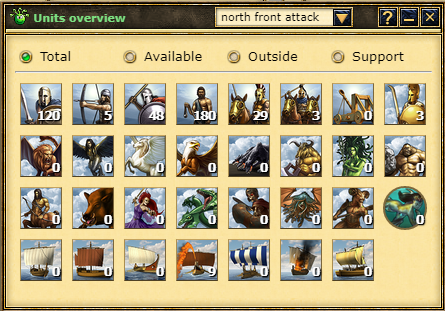
To use it, just click on an image (when you do, the counter below updates with the corresponding unit).

Above is a menu that shows different sections:
– Total -> Shows all units available in your cities,
– Available -> Shows currently available units, excluding those sent as support outside,
– Outside -> Shows units currently sent as support outside your cities,
– Support -> Shows units currently supporting within your own cities.
You can choose to display the units from a specific group of cities.